Account Manager Daily Activity
React Native mobile app for daily activity reporting with location + photo evidence.
Role
Mobile Engineer
Timeline
2024
Platform
React Native
Focus
Daily Activity
Overview
Built a role-based mobile workflow for account managers and admins to record activities, manage tasks, and monitor progress.
Problem
Field activity reporting was inconsistent and slow, while admins lacked visibility into daily tasks and progress.
Solution
Delivered a structured activity flow with mandatory location + photo capture, plus admin task management and monitoring.
Role
Mobile Engineer (React Native)
Timeline
2024
Stack
Requirements
Functional & non-functional
Functional
- Daily activity logging with location + photos
- Role-based navigation (Account Manager vs Admin)
- Task creation, update, and cancellation
- Activity list with date filtering
Non-functional
- Reliable validation for required evidence
- Responsive input flow for field use
System Design
Architecture + data flow
Architecture
Mobile app integrated with backend APIs, enforcing validation and permissions at the app layer.
Key Decisions
- Role-based navigation stack
- Centralized form validation and permission checks
Data Flow
- Activity input → API → activity list refresh
- Admin task update → API → task list refresh
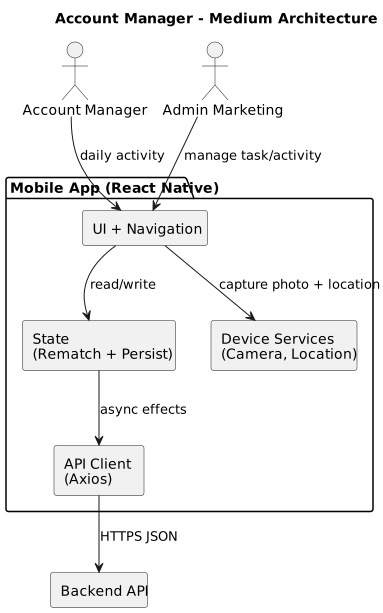
Flow & Data
State flow and data model
Flow Steps
- Activity input → API → activity list refresh
- Admin task update → API → task list refresh
Data Model
Entities
- User
- Task
- Activity
Relationships
- User has many Activities
- Task can generate Activities
- Role defines access scope
Business Logic
Rules that drive decisions
- Activity submission requires location + photo evidence
- Admin can change task status and progress
Scope & Constraints
Project boundaries
Scope
- Daily activity logging
- Task management
- Admin monitoring
Constraints
- Camera/location permissions
- Field network reliability
Your Contribution
What I handled directly
- Role-based mobile navigation
- Activity capture flow + validation
- Task and activity listing UI
Challenges → Solutions
Key problem solving
Challenge
Permission rejection for camera/location
Solution
Guided permission flow + retry handling.
Challenge
Incomplete activity submissions
Solution
Blocking submit until evidence is complete.
Challenge
Multiple roles with different flows
Solution
Role-based routing with clear UI separation.
Trade-offs
Decisions and compromises
- Online-first to enforce strict validation and evidence capture.
- Role-based UI prioritizes clarity over configurability.
Lessons Learned
What we would repeat
- Permission guidance reduces drop-offs in field workflows.
- Mandatory evidence increases data trust and auditability.
- Role-specific routing prevents operational mistakes.
Edge Cases
Stability in production
- Permission denied (camera/location)
- Incomplete activity data
- Role mismatch for admin actions
Impact
Results and outcomes
Gallery
Key screens
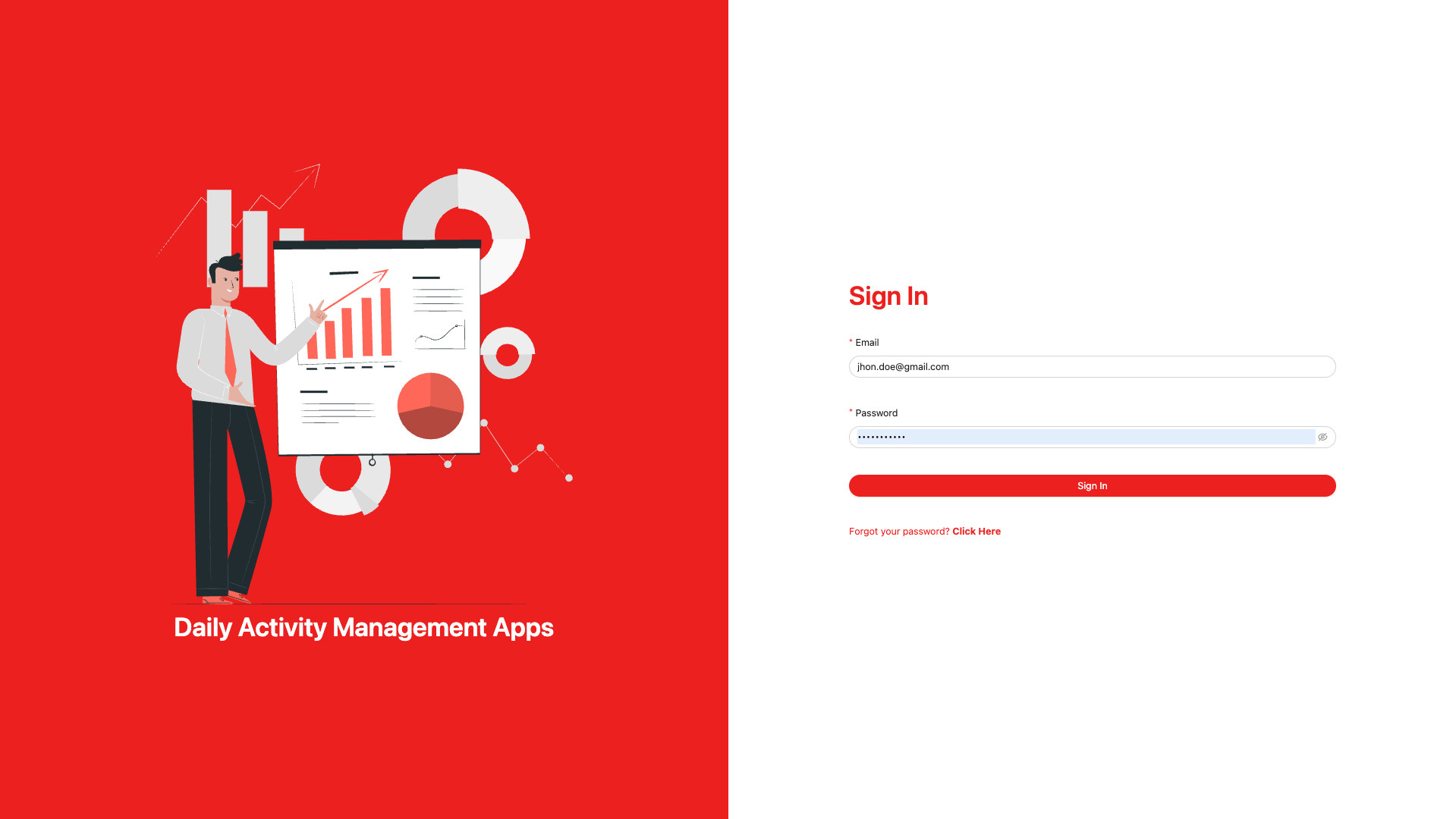
Key Takeaways
What mattered most
- Mobile
- Activity
- Task Management